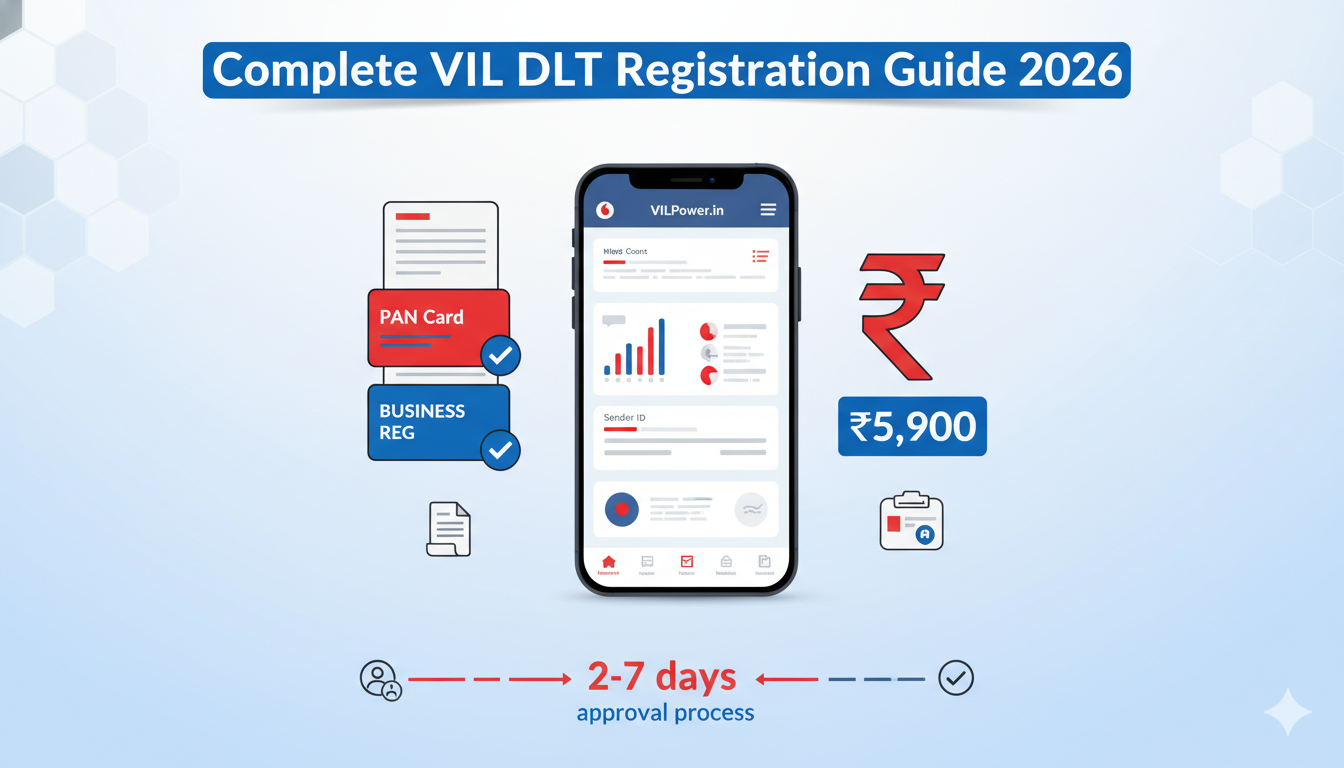
Quick Registration Summary:
- ⏱️ Approval Time: 2-7 working days
- 💰 Registration Fees: ₹5,900
- 📋 Documents Required: PAN Card, GST Certificate, Business Registration, Address Proof
- 🔗 Official Portal: https://www.vilpower.in/signup/
- Telemarketer id: 1302157243747322354
- 🔄 Annual Renewal: Required (similar fees apply)
VIL DLT Registration Process: Complete Step-by-Step Guide with Login Details and Registration Charges
👉 Get Free DLT Support | 👉 Talk to Bulk SMS Expert | 👉 Start Sending SMS Now
Contact SMSGatewayHub:
📞 Call: +91-9907922122
📧 Email: support@smsgatewayhub.com
🌐 Visit: www.smsgatewayhub.com
Understanding VIL DLT Platform and Its Significance
India's telecommunications sector transformed dramatically with the implementation of Distributed Ledger Technology (DLT) platforms mandated by the Telecom Regulatory Authority of India (TRAI). For businesses leveraging Vodafone Idea Limited (VIL) networks for bulk SMS campaigns, completing the VIL DLT registration process isn't optional—it's mandatory for uninterrupted message delivery.
The VIL DLT platform, accessible through VILPower.in, serves as the blockchain-based compliance gateway where enterprises must register entity credentials, message content templates, and sender identifications before transmitting commercial communications. Without proper registration, your messages get blocked at the operator level regardless of your SMS gateway provider's capabilities.
This comprehensive guide walks you through every aspect of VIL DLT registration, from understanding VIL DLT registration charges to mastering the VIL DLT login process and template approvals.
Click now -Free DLT Registration Support – Get Help Now
VIL DLT Registration Charges: Investment Breakdown
Before initiating your registration journey, understanding the cost structure helps budget appropriately for compliance expenses.
Entity Registration Investment
The primary VIL DLT registration charges include an entity registration fee of approximately ₹5,900 (including GST). This one-time investment validates your organization within the VIL ecosystem and grants access to template creation, header registration, and campaign management functionalities. This fee covers annual validity, requiring renewal after twelve months from registration completion.
Header (Sender ID) Registration Costs
Header approval on the VIL platform comes without additional charges. Businesses operating multiple departments—customer service, marketing, operations—often need distinct headers for brand clarity and departmental tracking. Planning your header requirements strategically minimizes redundant costs while maintaining communication effectiveness.
Template Registration
Content template registration on the VIL platform comes without additional charges. However, certain promotional content categories might undergo extended verification requiring supplementary documentation demonstrating legitimacy and compliance adherence.
Renewal Considerations
Entity registrations maintain validity for one calendar year, necessitating annual renewal at comparable rates. Planning for recurring compliance costs ensures uninterrupted messaging capabilities and prevents last-minute operational disruptions.
Complete VIL Registration Process: Step-by-Step Walkthrough
Successfully navigating the VIL registration process demands attention to documentation accuracy and procedural compliance. Follow these detailed steps:
Step 1: Portal Access and Initial Setup
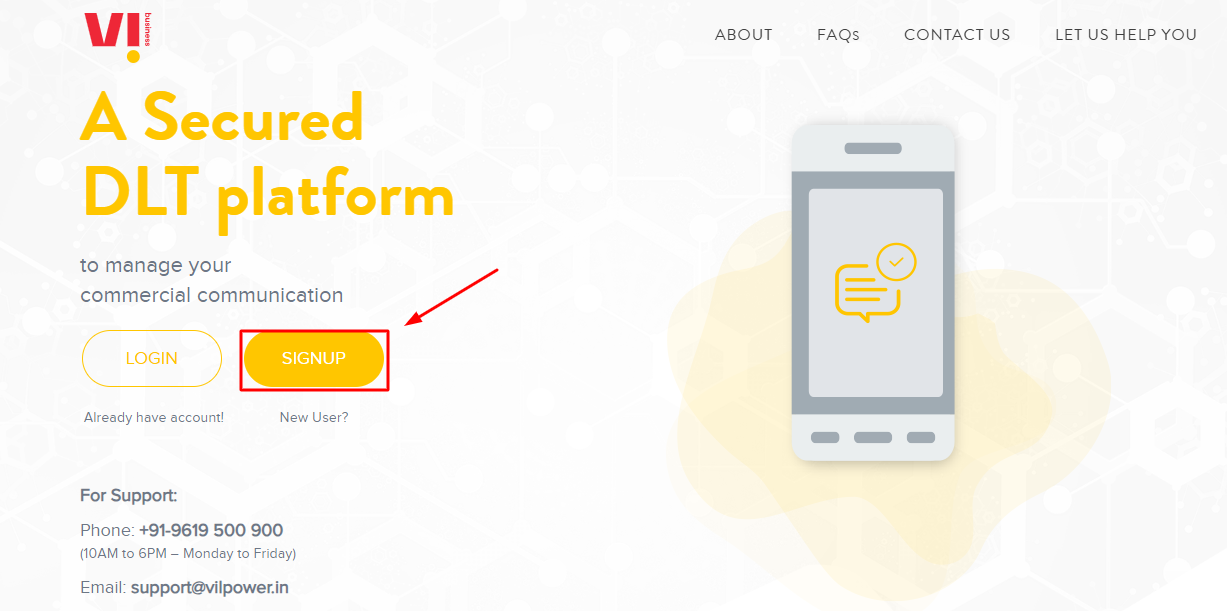
Navigate to the official VIL DLT portal at https://www.vilpower.in/. Bookmark this URL for future access as it's your exclusive gateway for all DLT-related activities. Click the prominently displayed "Signup" button to commence registration.
Step 2: Entity Type Selection
The platform presents two registration categories: Enterprise and Telemarketer. Select "Enterprise" if you're registering your business entity for sending messages directly to customers. Telemarketer registration applies to SMS service resellers and aggregators operating white-label platforms.
Step 3: Cross-Platform Registration Verification
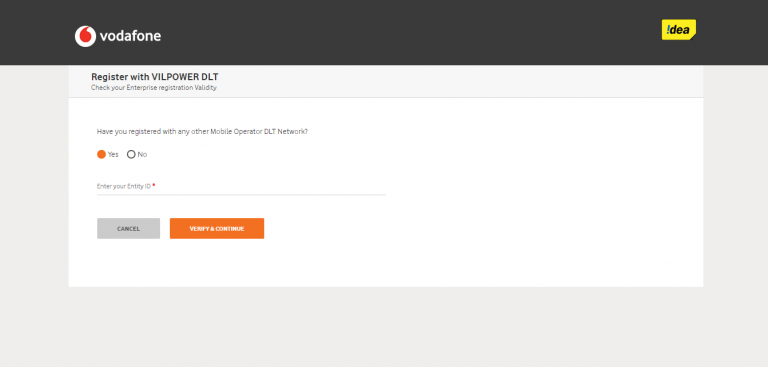
The system queries whether you've registered with alternative mobile operator DLT platforms (Jio, Airtel, BSNL). If you've completed registration elsewhere and possess an Entity ID, selecting "Yes" streamlines the process through credential importation. New registrants should select "No" and proceed with fresh entity establishment.

Step 4: Business PAN Verification
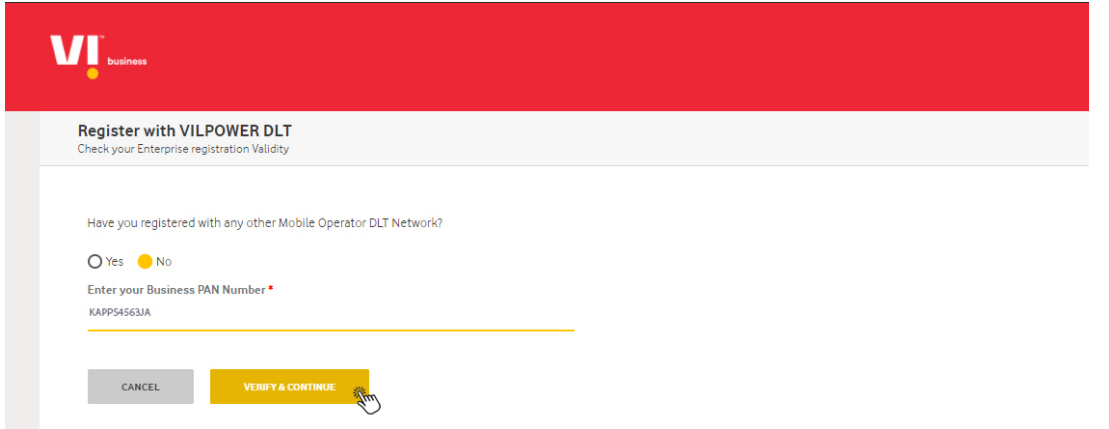
Enter your organization's Permanent Account Number (PAN) precisely as it appears on official documentation. The system validates PAN authenticity through government databases. PAN verification failures typically stem from typographical errors or mismatches between PAN holder names and entity registrations. Click "Verify and Continue" after entering accurate details.
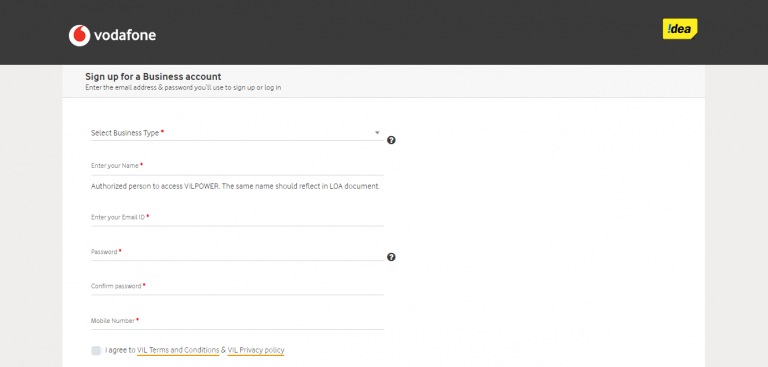
Step 5: Business Account Information
Complete the comprehensive business account signup form requiring:
- Entity Type: Select from Proprietorship, Partnership Firm, Private Limited Company, Public Limited Company, Limited Liability Partnership, Government Organization, or Trust/Society
- Complete Legal Name: Enter your business name exactly matching incorporation certificates
- Primary Email Address: Provide a monitored corporate email for verification links and official communications
- Secure Password: Create a strong password combining uppercase/lowercase letters, numbers, and special characters
- Authorized Contact Number: Enter a business mobile number accessible during verification processes
- Terms Acceptance: Review and accept VIL's terms and conditions governing platform usage
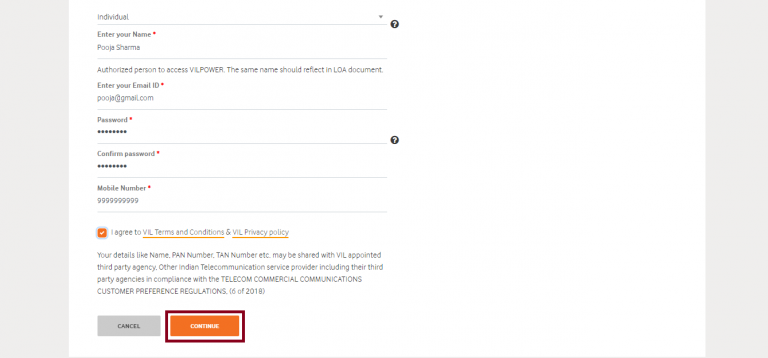
Click "Continue" after completing all mandatory fields.
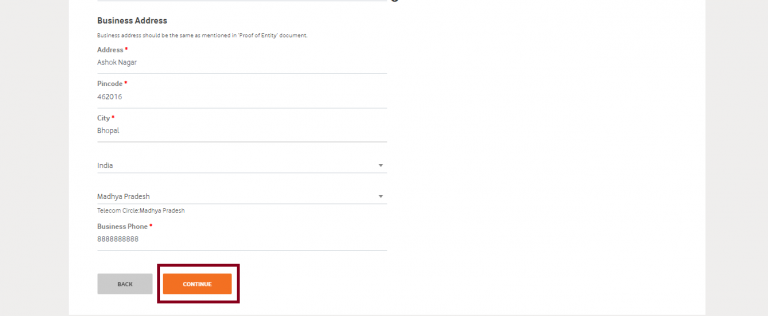
When you click the "Continue" button, a new window will appear where you must input the data of your business address. After entering all the information, click the "Continue" button.
Step 6: Mobile Number Verification via OTP
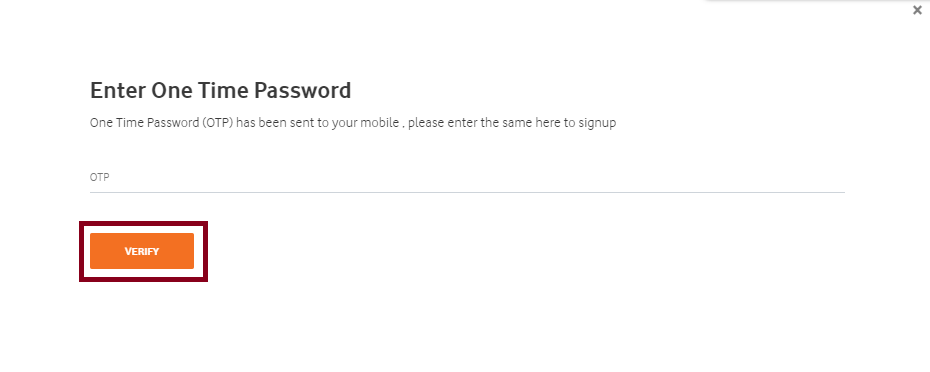
Within seconds, you'll receive a one-time password (OTP) on your registered mobile number. Enter this six-digit code in the verification field and click "Verify" to confirm number ownership. OTP validity extends typically for 10 minutes.
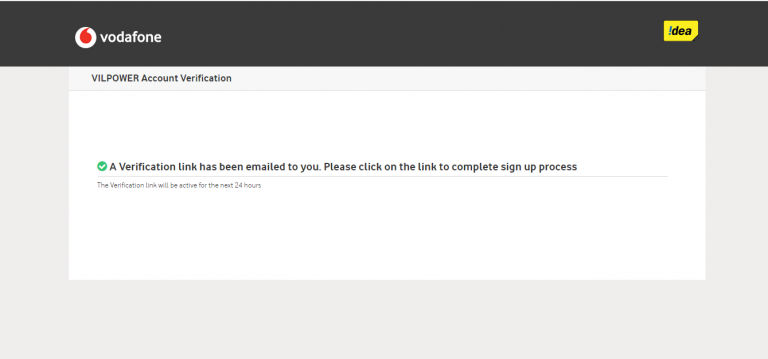
Step 7: Email Verification Link
Check your registered email inbox (including spam folders) for a verification message from VIL. Click the "Confirm Email Address" button embedded in the message to activate your account. This security measure prevents unauthorized registrations using corporate email addresses.
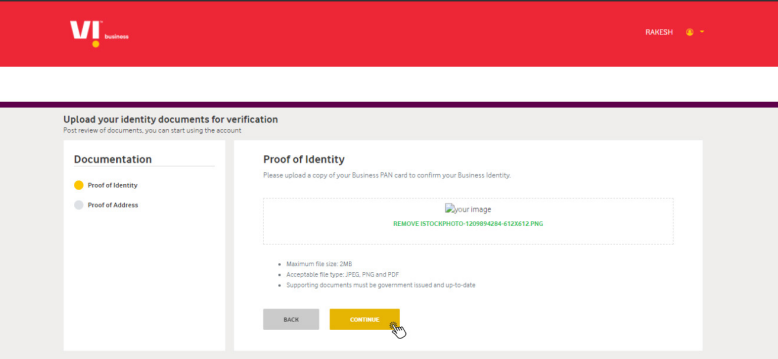
The next window, where you must upload your identity documents for verification, will open as soon as you click the Continue button. After attaching your PAN card by clicking the Upload Document option, click the Continue button.
As soon as you click on "Confirm Email Address," you'll see a message that says "Your account has been activated successfully. Please Login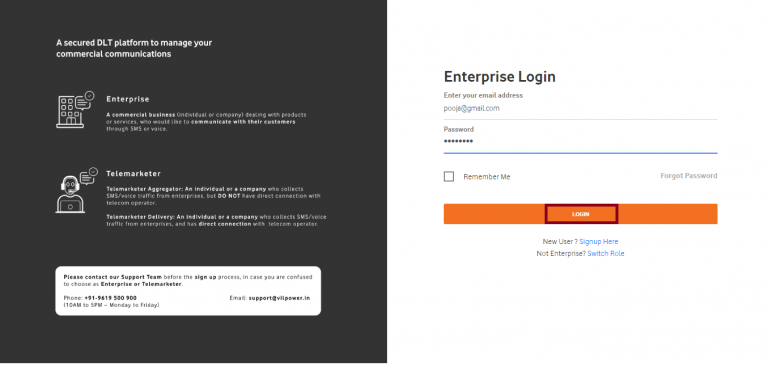
Step 8:
Detailed Business Profile Creation
After successful verification, log into your account using the VIL DLT login credentials. The platform requests comprehensive business details:
- Industry Classification: Select your primary business sector from categories including Finance, Retail, Healthcare, Real Estate, E-commerce, Education, and more
- Business Establishment Date: Enter your company's incorporation or registration date
- Business PAN Details: Reconfirm PAN information for consistency
- Alternative Email: Provide a secondary email for backup communications
- Complete Business Address: Enter registered office address with accurate PIN code for service area determination

Step 9: Identity Documentation Upload
The platform requires identity verification through document submission:
For PAN Verification: Upload a clear scan or photograph of your business PAN card showing all details distinctly.
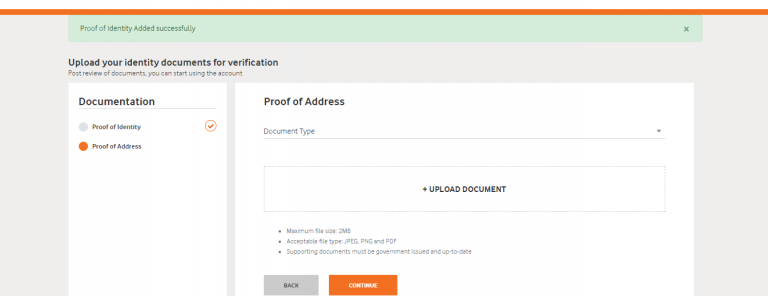
For Address Proof: Select document type from the dropdown menu (Aadhar Card, Voter ID, Driving License, Passport) and upload a high-quality scan. File size should remain under specified limits (typically 2-5MB) in accepted formats (PDF, JPEG, PNG).
Upon successful upload, confirmation messages verify document acceptance.
Step 10: Address Verification Documentation
Upload clear, legible copies of address proof documents. Acceptable documents include:
- Recent utility bills (electricity, water, gas) within three months
- Property tax receipts
- Registered lease/rent agreements
- Property ownership documents
Ensure uploaded documents clearly display your business name and registered address matching form entries.
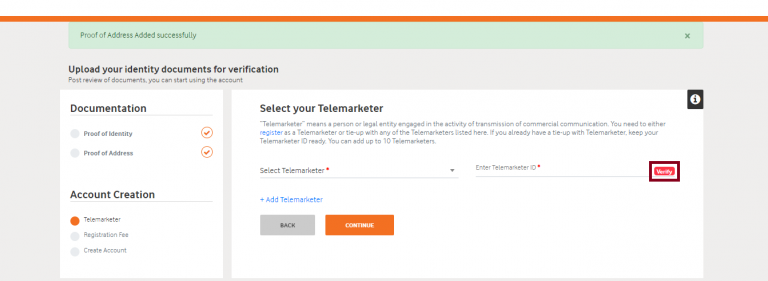
Step 11: Telemarketer Association
If purchasing bulk SMS services through a registered telemarketer (SMS service provider), add their credentials in the designated section:
- Telemarketer Name: Enter your SMS provider's registered name
- Telemarketer ID: 1302157243747322354 Input the unique identification number provided by your SMS gateway partner.
- Click "Verify" to confirm association authenticity
This step establishes the communication chain between your entity, telemarketer, and VIL's network, ensuring proper message routing and billing.
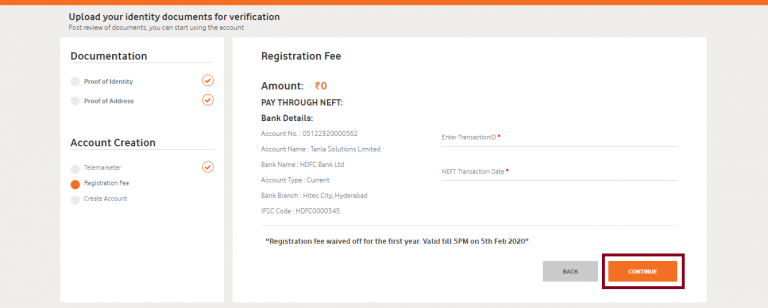
Step 12: Payment Processing
Upon completing documentation, proceed to payment gateway for VIL DLT registration charges settlement:
- Review the fee summary displaying entity registration costs
- Select payment method (Net Banking, Credit/Debit Card, UPI)
- Complete secure payment transaction
- Download and preserve transaction receipts for financial records
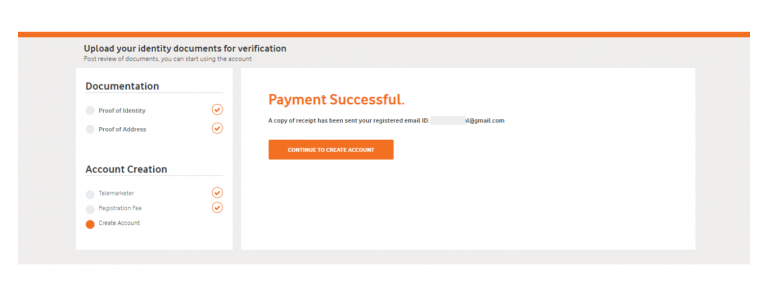
Step 13: Verification and Approval Timeline
After payment confirmation, VIL's compliance team reviews submitted documentation. Processing typically requires 2-7 business days, though timelines fluctuate based on submission volumes and documentation quality. Monitor your registered email regularly for:
- Additional document requests
- Clarification queries
- Approval confirmations
- Entity ID generation notifications
Troubleshooting Common Registration Challenges
Navigate frequent obstacles effectively with these solutions:
Document Rejection Issues
Problem: Uploaded documents face rejection Solutions:
- Verify document clarity and legibility
- Ensure complete information visibility
- Confirm name consistency across all documents
- Check file size and format compliance
- Avoid cropped or partially visible document edges
PAN Verification Failures
Problem: System rejects PAN numbers Solutions:
- Recheck PAN entry for typographical errors
- Verify PAN holder name matches entity registration name exactly
- Confirm PAN active status through income tax portal
- Ensure PAN belongs to entity type selected during registration
Processing Delays
Problem: Extended approval timelines beyond standard duration Solutions:
- Submit complete documentation initially avoiding follow-up requests
- Register during non-peak periods avoiding month-end rushes
- Proactively respond to clarification queries promptly
- Maintain accurate contact information for timely communication
Technical Login Problems
Problem: Cannot access account despite correct credentials Solutions:
- Clear browser cache and cookies
- Try alternative browsers (Chrome, Firefox, Edge)
- Disable VPN services potentially blocking access
- Check internet connectivity stability
- Use password recovery for potential compromise situations
Post-Registration Entity Management
Successful registration marks the beginning of ongoing compliance maintenance requiring proactive account management.
Regular Account Maintenance
Establish routines for:
- Monthly Login: Verify account active status and review pending notifications
- Quarterly Reviews: Assess template performance and update outdated content
- Annual Renewals: Complete entity registration renewals before expiration
- Document Updates: Refresh expired address proofs or changed business documents
- Header Audits: Remove unused headers reducing unnecessary renewal costs
Template Performance Monitoring
Track template effectiveness through:
- Approval rates by category
- Rejection patterns identifying content issues
- Usage frequency determining popular templates
- Compliance violation patterns preventing penalties
Regulatory Compliance Updates
Stay informed about:
- TRAI guideline modifications affecting content requirements
- Platform feature updates enhancing functionality
- Industry best practices evolving with technology
- Penalty structures for non-compliance
- Emerging communication channels complementing SMS
Conclusion
Successfully completing the VIL DLT registration process positions your business for compliant, effective bulk SMS marketing through Vodafone Idea networks. While the VIL DLT registration charges represent an upfront investment, they ensure long-term campaign sustainability, brand reputation protection, and customer trust maintenance.
Mastering VIL DLT login procedures, understanding header registration intricacies, and maintaining template compliance form the foundation of successful SMS marketing within India's regulated telecommunications ecosystem. Organizations prioritizing registration accuracy, maintaining organized template libraries, and staying current with regulatory developments maximize their bulk SMS ROI while respecting consumer preferences and regulatory mandates.
The journey from initial registration through ongoing compliance management requires commitment, but the rewards—direct customer engagement, measurable campaign results, and regulatory peace of mind—justify the investment substantially.
Need personalized assistance? Our team at SMSGatewayHub is ready to help you navigate DLT registration and launch successful SMS campaigns. Get in touch today!
📧 support@smsgatewayhub.com | 📞 +91-9907922122 | 🌐 www.smsgatewayhub.com