WhatsApp Business API vs App: Complete Comparison Guide (2026)
Choosing between WhatsApp Business API and the WhatsApp Business App confuses most business owners. With over 200 million businesses using WhatsApp worldwide, selecting the wrong platform costs you customers and revenue.
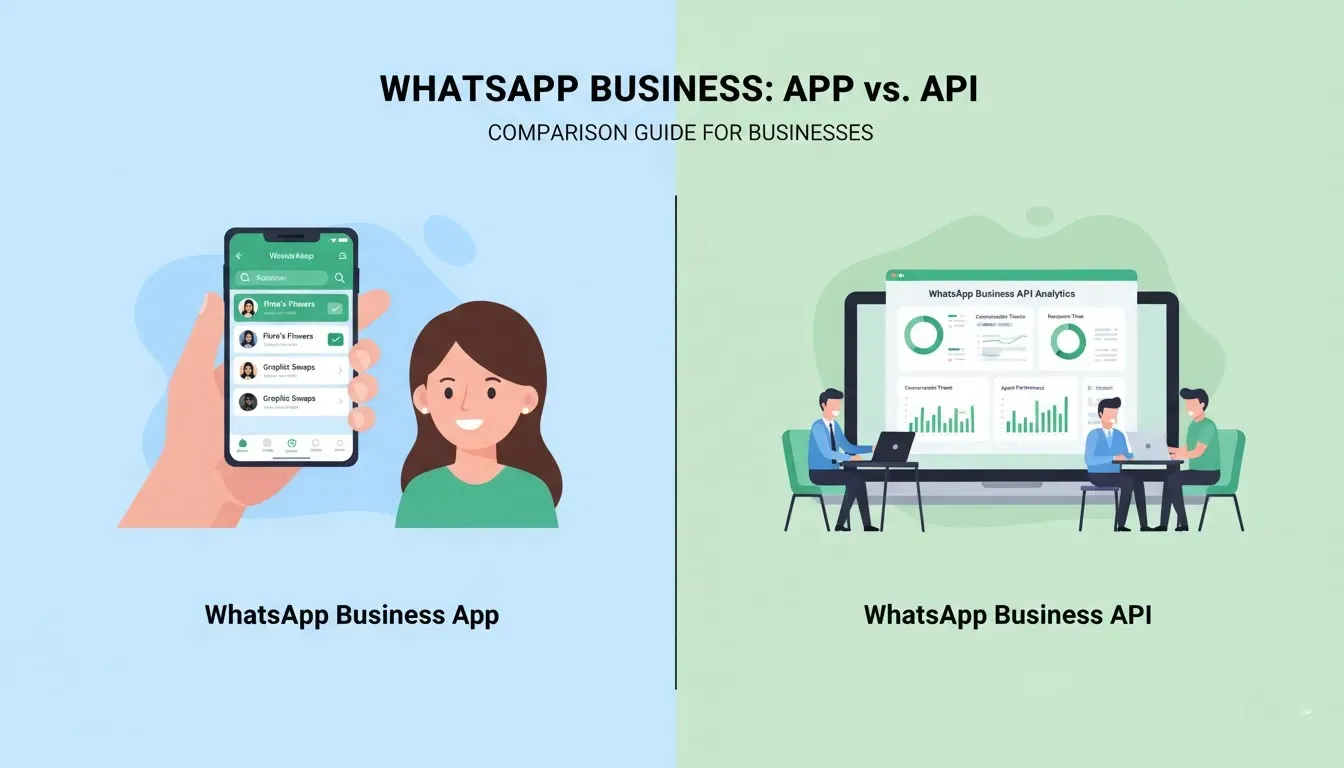
The WhatsApp Business App is free and simple. The WhatsApp Business API offers automation and scale but requires investment. This guide shows you exactly which solution fits your business based on size, budget, and growth goals.

👉 Get Free Demo | 👉 Talk to Bulk SMS Expert | 👉 Start Sending SMS Now
Contact SMSGatewayHub:
📞 Call: +91-9907922122
📧 Email: support@smsgatewayhub.com
🌐 Visit: www.smsgatewayhub.com
Quick Comparison: 5 Key Differences
1. Cost
- App: Free forever
- API: ₹8,000-₹40,000/month
2. Team Access
- App: Single device only
- API: Unlimited agents
3. Automation
- App: Quick replies only
- API: AI chatbots, workflows
4. Message Volume
- App: 256 broadcast limit
- API: Unlimited messaging
5. Integration
- App: None
- API: CRM, e-commerce, helpdesk
Quick Decision: Use the App if you handle under 500 monthly chats manually. Choose the API when you need automation and process 1,000+ conversations monthly.
Read Article - Top Bulk SMS Service Provider in India
What is WhatsApp Business App?
The WhatsApp Business App is a free mobile application Meta built for small businesses. It helps you separate business conversations from personal chats while adding professional features like business profiles and product catalogs.
Core Features
Business Profile
Display your business name, address, operating hours, website, and contact information. Customers see you're a legitimate business, not a personal account.
Quick Replies
Save frequently used responses and access them with shortcuts. Type "/welcome" to send your greeting message or "/hours" to share business hours instantly.
Automated Messages
Set away messages when you're unavailable and greeting messages for first-time customers. This manages expectations about response times.
Product Catalog
Showcase up to 500 products with images, prices, and descriptions. Customers browse your offerings without leaving WhatsApp.
Message Labels
Organize conversations with color-coded labels like "New Order," "Pending Payment," or "Completed." Stay organized as customer volume grows.
WhatsApp Web Access
Connect to your computer for easier typing, but you're still limited to one active device at a time.
Best For
The WhatsApp Business App works perfectly for:
- Solo entrepreneurs handling 10-30 daily conversations
- Local shops with regular customers
- Home-based businesses like bakeries or tutors
- Freelance consultants
- Service providers with appointment-based work
Example: Priya runs a home bakery receiving 25 cake orders weekly. She uses the catalog to display designs, quick replies answer common questions about delivery, and labels track order status from "Ordered" to "Delivered." Cost: ₹0 monthly.
Limitations
- Only one person can access the account
- Every message requires manual response
- Maximum 256 contacts per broadcast
- No integration with other business tools
- No chatbots or automation beyond basic replies
- No verified business badge
When your message volume exceeds 500 monthly or you need team collaboration, you've outgrown the App.
Get FREE SMS API - SMSGATEWAYHUB Developer SMS API Documentation
What is WhatsApp Business API?
The WhatsApp Business API (officially the WhatsApp Cloud API) is an enterprise messaging platform that integrates WhatsApp into your business systems. Unlike the downloadable App, you access the API through a Business Solution Provider (BSP) who provides the dashboard and technical infrastructure.
How It Works
You partner with a BSP who connects WhatsApp messaging to your CRM, e-commerce platform, or custom software. Your team manages all conversations through the BSP's dashboard instead of the WhatsApp app.
Meta verifies your business (takes 1-2 weeks), then you can send automated messages, add unlimited agents, and integrate with existing tools.
Core Capabilities
Advanced Automation
AI-powered chatbots handle FAQs 24/7. When a customer asks "What are your delivery charges?" or "Do you have this in size M?", the bot responds instantly with accurate information from your database.
Multi-Agent Access
Ten customer service agents can simultaneously handle conversations on the same WhatsApp number. Assign chats to specific team members and track who's handling what.
Unlimited Messaging
Send order confirmations to 10,000 customers, appointment reminders to 5,000 patients, or promotional campaigns to your entire subscriber base. No broadcast limits exist.
System Integration
Connect WhatsApp to Shopify for automatic order updates, sync with Salesforce for customer history, or integrate with Zendesk for support ticket management. Everything works together.
Green Tick Verification
Get the official verified business badge that appears next to your name. Customers trust verified accounts, leading to higher message open rates.
Rich Analytics
Track message delivery rates, average response times, agent performance, conversation volumes, and customer satisfaction scores through detailed dashboards.
Requirements
- Registered business with proper documentation
- Dedicated phone number (can't use your personal WhatsApp number)
- Business Solution Provider partnership
- Meta business verification
- Monthly budget of ₹10,000-₹50,000
Example: StyleHub, a Mumbai fashion e-commerce store, receives 2,500 daily WhatsApp inquiries. Their API setup includes an AI chatbot handling 65% of FAQs, six agents managing complex queries, and automatic Shopify integration sending order updates. Response time dropped from 3 hours to 12 minutes. Monthly cost: ₹22,000. Result: 32% sales increase.
.webp)
Feature-by-Feature Comparison
| Feature | WhatsApp Business App | WhatsApp Business API |
|---|---|---|
| Monthly Cost | ₹0 | ₹8,000-₹40,000+ |
| Setup Time | 5 minutes | 1-2 weeks |
| Team Members | 1 device | Unlimited agents |
| Chatbot Support | ❌ | ✅ Full AI automation |
| Broadcast Limit | 256 contacts | Unlimited |
| CRM Integration | ❌ | ✅ Salesforce, Zoho, HubSpot |
| Green Tick Badge | ❌ | ✅ After verification |
| Analytics | Basic read receipts | Advanced dashboards |
| Message Templates | ❌ | ✅ Meta-approved templates |
| Best For | <500 monthly chats | 1,000+ monthly chats |
Real-World Impact
A business handling 2,000 monthly conversations spends approximately 70 hours on manual WhatsApp responses using the App. At ₹300/hour labor cost, that's ₹21,000 in time value.
The same business with the API spends ₹18,000 monthly (conversations + BSP fee) but automation handles 70% of queries. Time spent drops to 20 hours monthly. Net savings: ₹12,000 plus faster customer service increases sales conversion by 15-25%.
.webp)
Pricing Breakdown: What You'll Actually Pay
WhatsApp Business App Costs
Total: ₹0 forever
No hidden fees, premium tiers, or upgrade charges. Completely free for unlimited usage within the feature limits.
WhatsApp Business API Costs
The API uses two-part pricing:
1. Meta Conversation Charges
Meta charges per 24-hour conversation window, not per message:
- Service Conversations (customer messages you first): ₹0.30-₹0.45 per conversation
- Utility Conversations (order confirmations, OTPs): ₹0.40-₹0.55 per conversation
- Marketing Conversations (promotional messages): ₹0.90-₹1.25 per conversation
First 1,000 service conversations monthly are free.
2. BSP Platform Fees
Business Solution Providers charge for their dashboard and services:
- Basic Plan: ₹8,000-₹12,000/month (up to 3 agents, basic features)
- Professional Plan: ₹18,000-₹28,000/month (up to 10 agents, chatbot, integrations)
- Enterprise Plan: ₹40,000+/month (unlimited agents, advanced automation, custom integration)
Real Cost Examples
Small E-commerce (2,000 monthly conversations):
- 1,000 free service conversations = ₹0
- 1,000 paid conversations × ₹0.35 = ₹350
- BSP basic plan = ₹10,000
- Total: ₹10,350/month
Growing Business (5,000 monthly conversations):
- 4,000 service conversations × ₹0.35 = ₹1,400 (after free 1,000)
- 1,000 utility conversations × ₹0.45 = ₹450
- BSP professional plan = ₹22,000
- Total: ₹23,850/month
Large Enterprise (20,000 monthly conversations):
- Service + utility + marketing mix ≈ ₹10,000
- BSP enterprise plan = ₹45,000
- Total: ₹55,000/month
ROI typically appears within 1-3 months through labor savings and increased sales from faster response times.
.webp)
Which WhatsApp Business Solution Should You Choose?
Choose WhatsApp Business App When:
✅ You're a solo entrepreneur or very small team
✅ You handle fewer than 500 WhatsApp conversations monthly
✅ You have time to manually respond to each customer
✅ Budget is extremely tight (₹0 investment needed)
✅ Personal customer relationships are your competitive advantage
✅ You're testing WhatsApp as a business channel
Perfect for: Home bakery (20 daily orders), freelance graphic designer (15 client conversations weekly), local salon (30 appointment bookings monthly), tutoring service (40 parent communications).
Choose WhatsApp Business API When:
✅ You're a growing business with a team
✅ You process 1,000+ WhatsApp conversations monthly
✅ You need multiple people managing customer chats
✅ You want to automate repetitive FAQs
✅ You can invest ₹10,000-₹25,000 monthly
✅ You require CRM or e-commerce platform integration
✅ 24/7 customer support is important
✅ You want the verified green tick badge
Perfect for: E-commerce store (500+ daily inquiries), real estate agency (8 agents sharing one number), educational institute (student communication at scale), travel company (booking confirmations and updates), healthcare provider (appointment reminders).
Decision Framework
Calculate your monthly WhatsApp volume:
- 0-500 conversations: Start with the free App. Monitor growth.
- 500-1,500 conversations: Evaluate if manual handling is sustainable. Budget for API upgrade in 3-6 months.
- 1,500+ conversations: API is essential. Manual management impossible at this scale.
Ask yourself:
- What percentage of questions are repetitive FAQs? (If 50%+, automation saves significant time)
- Do multiple team members need WhatsApp access? (App can't support this)
- Is response speed critical to sales? (API's automation responds instantly)
- Do you need conversation data in your CRM? (API integrates, App doesn't)
If you answered "yes" to 2+ questions, the API suits your needs despite the cost.
Migration Reality
Many businesses start with the App and upgrade to API as they grow. Important: You need a different phone number for the API. WhatsApp doesn't allow transferring the same number from App to API.
Plan your transition by choosing a new, memorable number and gradually informing customers about the change.
Frequently Asked Questions
Can I use the same phone number for both App and API?
No. One phone number works on only one platform at a time. If you're upgrading from App to API, you must register a new number for the API. You can temporarily keep both numbers active during customer transition.
Is WhatsApp Business API expensive for small businesses?
It depends on conversation volume, not business size. If you process under 1,000 monthly conversations, the first 1,000 are free from Meta, so you only pay the BSP platform fee (₹8,000-₹12,000). This might be expensive for very small operations but becomes cost-effective as volume grows because automation scales without adding staff.
Do I need technical expertise for the API?
Not if you choose a good Business Solution Provider. They handle all technical setup, integration, and maintenance. You simply use their user-friendly dashboard (similar to using email or social media tools). Most BSPs offer training and support. No coding required.
How long does API verification take?
Typically 7-14 days. You submit business documents (registration certificate, GST, address proof) to your BSP. They forward everything to Meta for verification. Meta reviews your business, approves the application, and your BSP activates your account. Delays occur if documentation is incomplete.
Can I send promotional messages with the API?
Yes, but with strict rules. Promotional messages require customer opt-in consent and Meta-approved message templates. You must include an opt-out option. Marketing conversations cost more (₹0.90-₹1.25 vs ₹0.30-₹0.45 for service messages). Focus on value, not spam, to maintain good sender reputation.
What's the actual message limit on the API?
No hard limit exists. You can send unlimited messages as long as customers find them valuable and don't block or report you. Meta monitors quality through a rating system. New accounts start with lower limits (1,000 unique recipients per day) that increase to 100,000+ as you maintain good quality scores.
.webp)
Final Recommendation
For businesses under 500 monthly conversations: The WhatsApp Business App provides everything you need at zero cost. Use it until growth demands more.
For businesses over 1,000 monthly conversations: The WhatsApp Business API transforms customer communication through automation, team collaboration, and integration. The investment pays for itself through time savings and increased sales.
Next Steps:
If choosing the App: Download it from Google Play or App Store, set up your business profile, create quick replies, and start chatting.
If choosing the API: Research Business Solution Providers, compare pricing and features, schedule consultations, prepare business documents, and plan for 2-week implementation.
Success with either platform comes from understanding your customers, responding quickly, and providing genuine value in every conversation.
About This Guide
Published: February 2026
Written by WhatsApp Business implementation specialists with 500+ successful deployments across Indian businesses.
Ready to transform your business communication with reliable bulk SMS? Get started with SMSGatewayHub today—free demo available with custom pricing tailored to your messaging needs.
Contact smsgatewayhub now and get your first 1000 SMS credits free to test the platform!
Need personalized assistance? Our team at SMSGatewayHub is ready to help you navigate DLT registration and launch successful SMS campaigns. Get in touch today!
📧 support@smsgatewayhub.com | 📞 +91-9907922122 | 🌐 www.smsgatewayhub.com